Every job that’s waiting on someone, on one board.
For each job: what’s holding it up, who follows up, and when to check again. Overdue comes first.
Your email goes to the founder.
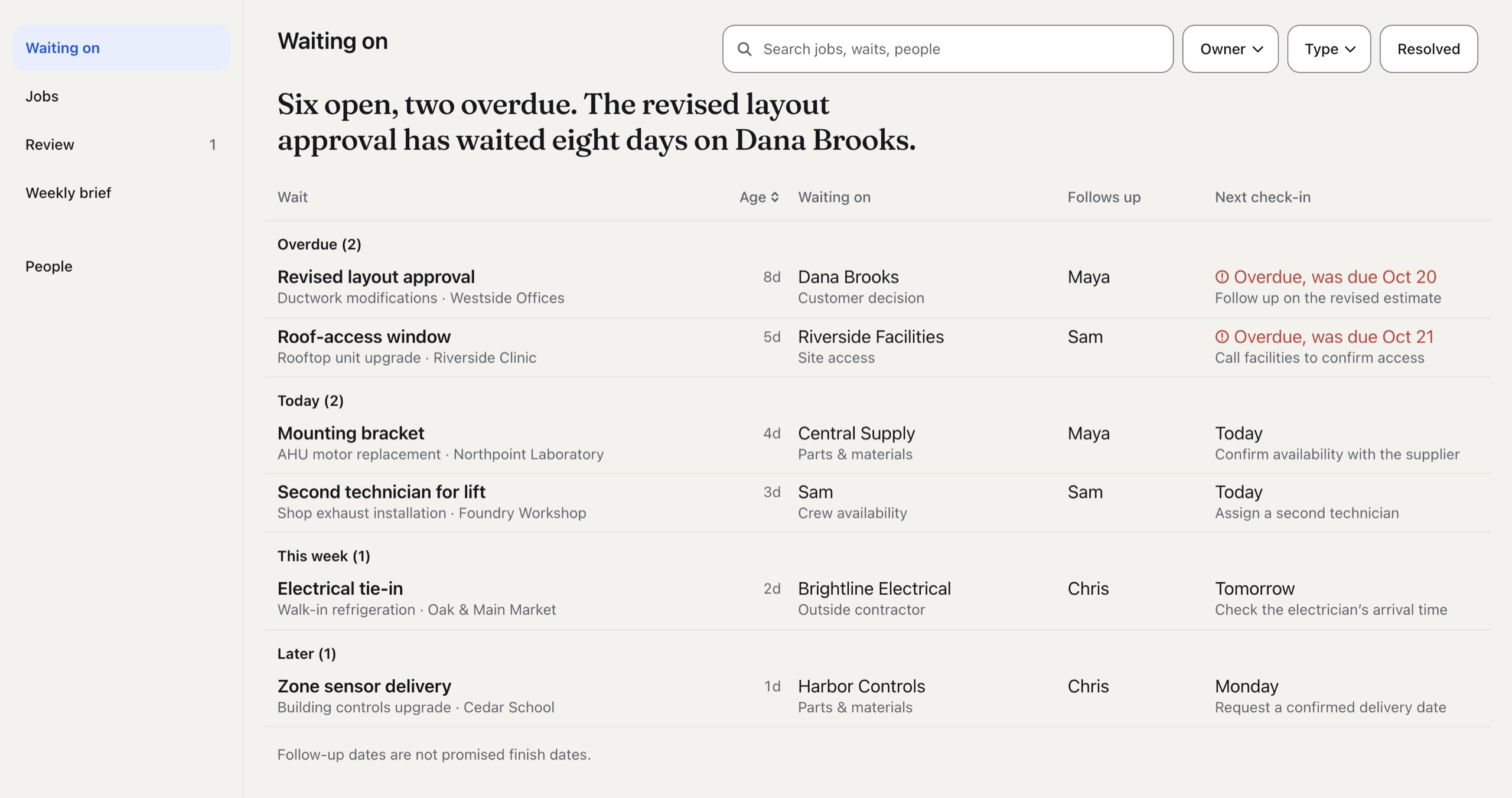
- Overdue comes first
- What’s holding it up
- Who follows up
- When to check again

Any update?
When a job stalls, you find out where it stands by asking. Knowing a job exists is different from knowing what it’s waiting on: a part, a customer’s decision, access to the site, another trade.
Nobody writes down who you’re waiting on or when to check again, so the customer gets a vague answer and you ask again tomorrow.
48% of rework came down to poor project data and miscommunication.
PlanGrid and FMI, 2018: a survey of 599 US construction leaders.
How it works
Bring in your open jobs from the spreadsheet you already keep. The file is checked before anything goes in.
Nothing changes until you accept it
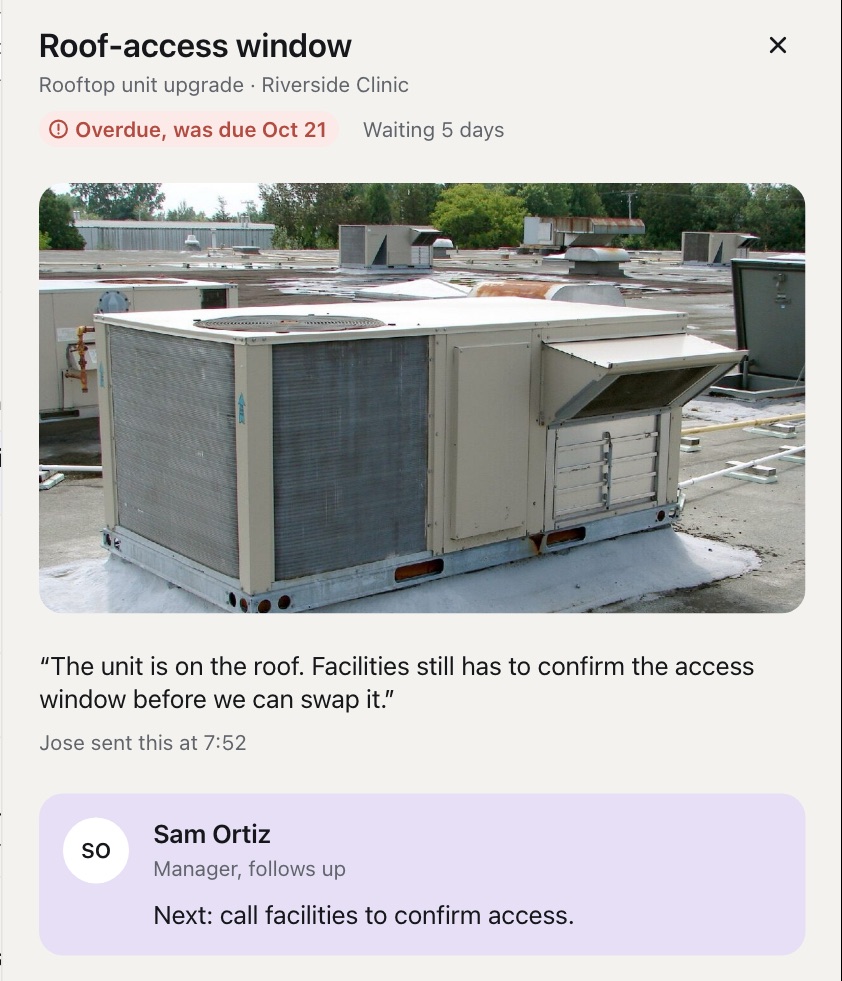
An update is a report until you decide it belongs on the board, and the original note stays one tap from what came of it. When a supplier calls you with a new date, you add the update yourself and say who told you.
Friday’s brief writes itself
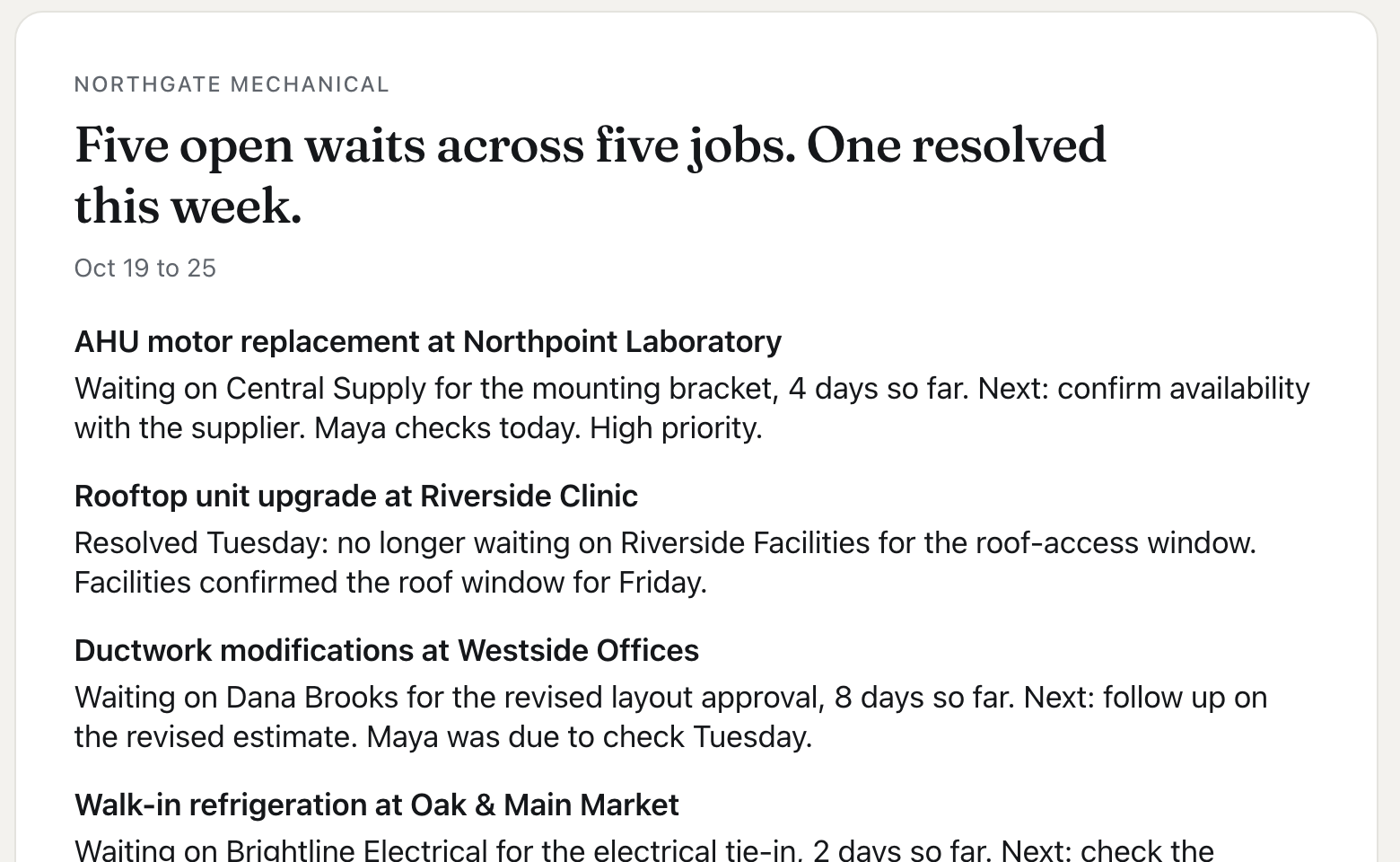
It’s built from what you accepted: each job, what it’s waiting on, and who checks when. Uncheck what shouldn’t go, then copy it or open it as an email.
Straight answers
Can my techs use it on their phones?
Not yet. Today it’s for you, the manager. Which phones your crew carries decides what comes next.
Does it use AI?
No. Nothing on the board changes unless you accept it.
Does it connect to the software we already use?
No. It takes your open jobs from a spreadsheet export and runs next to the tools you already pay for.
Can my customers see it?
Not on their own. You copy the brief, or one job’s update, and send it yourself.
Count first, then decide
The pilot is two weeks of counting. For the first, before you use anything, tally every “any update?” text or call you send. Then we put your open jobs on the board, and you count again for a week while you use it. If the number doesn’t go down, it isn’t worth your money, and I’d rather know that than sell it to you.
Jose, Founder